A local-first desktop app that scores every photo in your library on sharpness, lighting, faces, and composition, clusters the near-duplicates, and helps you curate the keepers in minutes. Nothing leaves your machine. No account, no subscription, MIT-licensed.
Free and open source. Apple Silicon, signed and notarized. On Linux, Windows, or an Intel Mac? Install with pip.
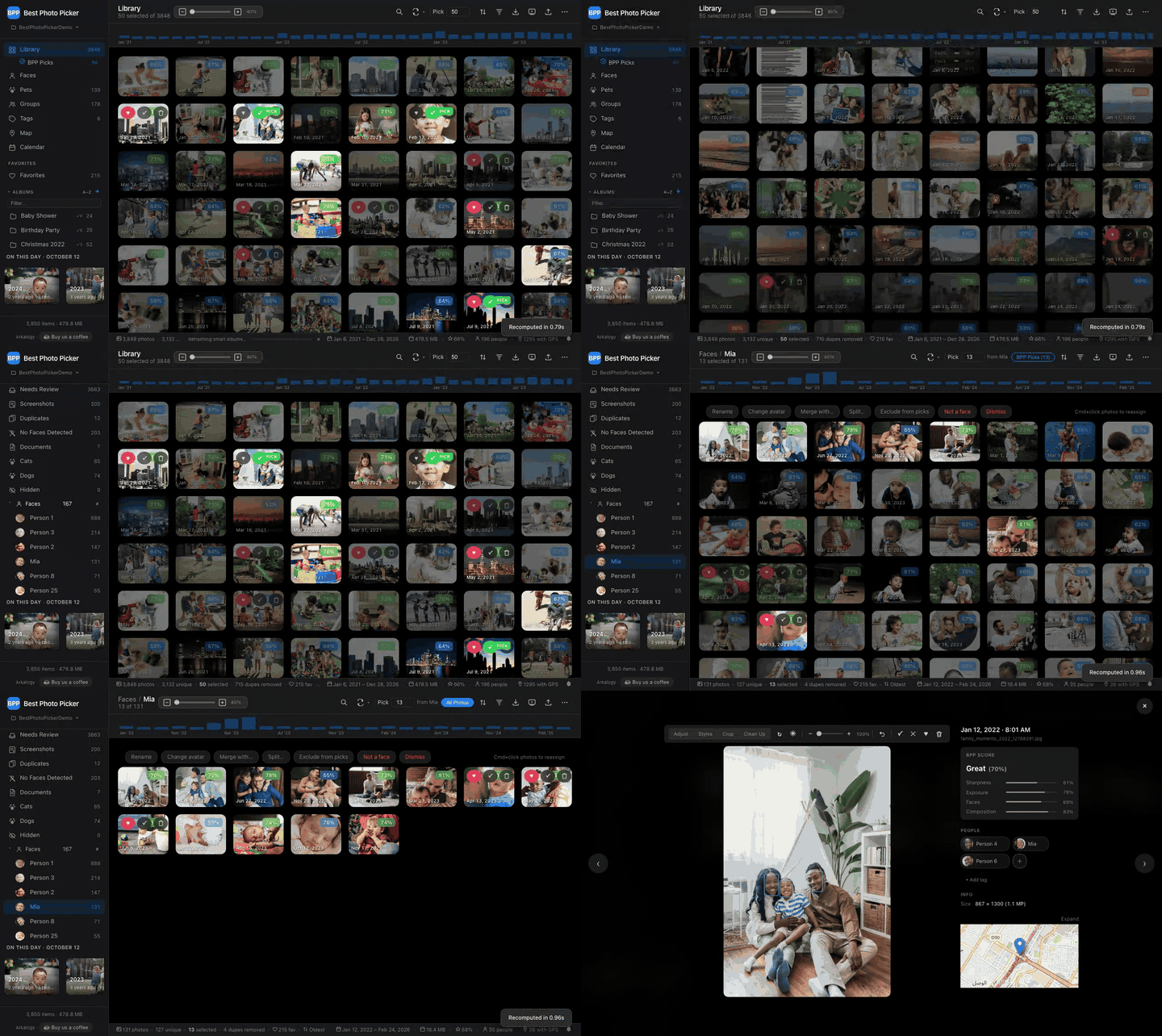
From thousands of photos to one person's best shots: pick who matters, and BPP Picks does the rest. Every photo is scored on sharpness, exposure, faces and composition.
Cloud photo apps are built to store everything. They are not built to help you find the few shots that matter. Best Photo Picker scores your whole library locally, so the best ones rise to the top without anything being uploaded.
The Problem
You have fifteen thousand photos of your kid. You want the best fifty for the grandparents, the photo book, or the year-end card.
Apple Photos and Google Photos are great at storing all fifteen thousand and surfacing the occasional "memory," but they bury your genuinely best shots in an endless feed. Lightroom and digiKam are built for professional photographers, not for triaging a family library. And every one of the cloud options assumes you are fine uploading your entire collection of family faces to someone else's data center.
The hard part is not storing the photos. The hard part is finding the actual best fifty out of thousands of near-identical burst shots, blinks, and blurry frames, without handing your library to a third party.
Best Photo Picker exists for exactly that case: thousands of photos of a specific subject, and you want the real keepers, on your own machine.
What It Does
Point it at a folder. It imports your photos into a managed library on your machine, analyzes and scores every one, and lets you tune what "best" means in real time.
Find the keepers automatically
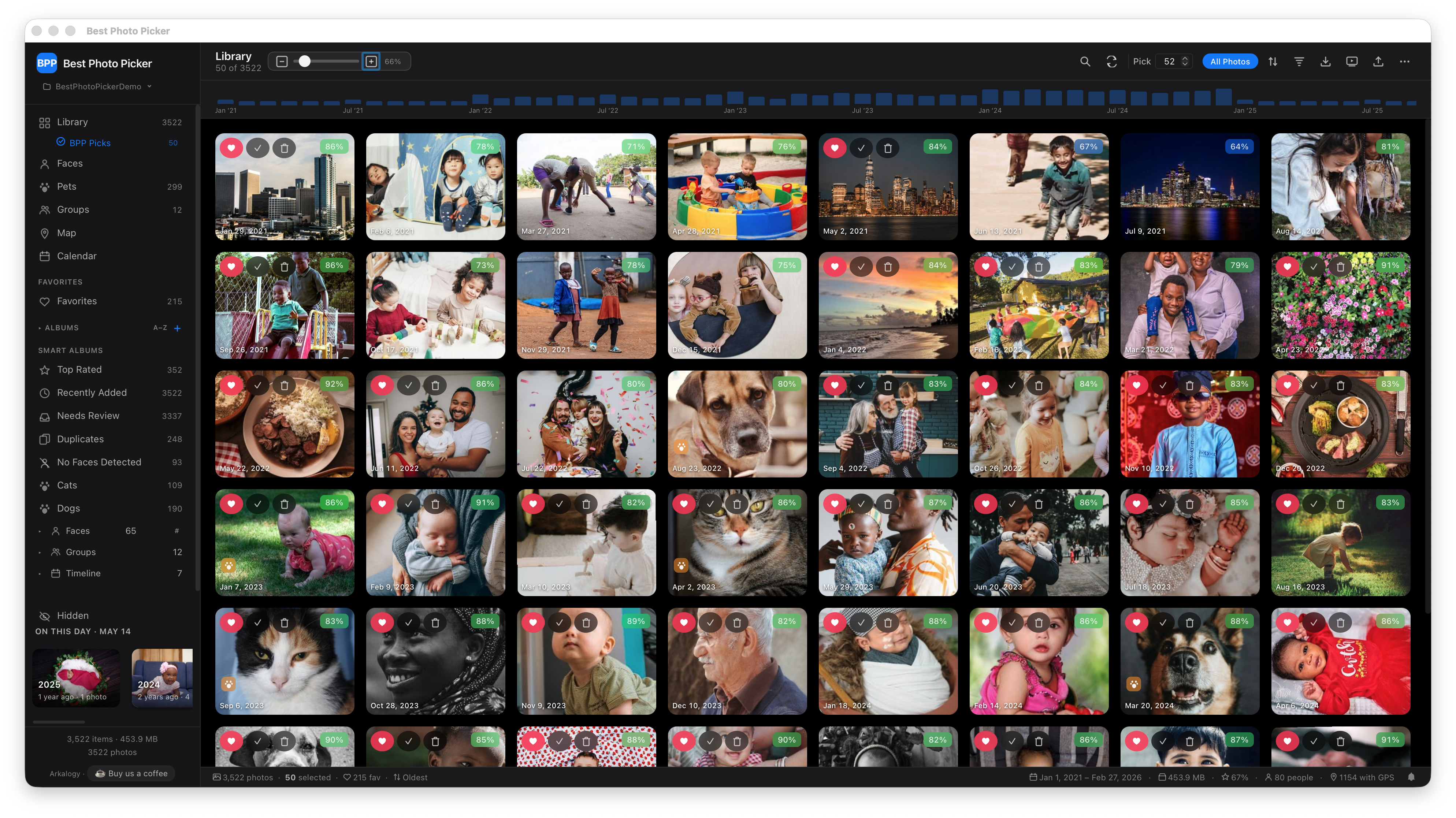
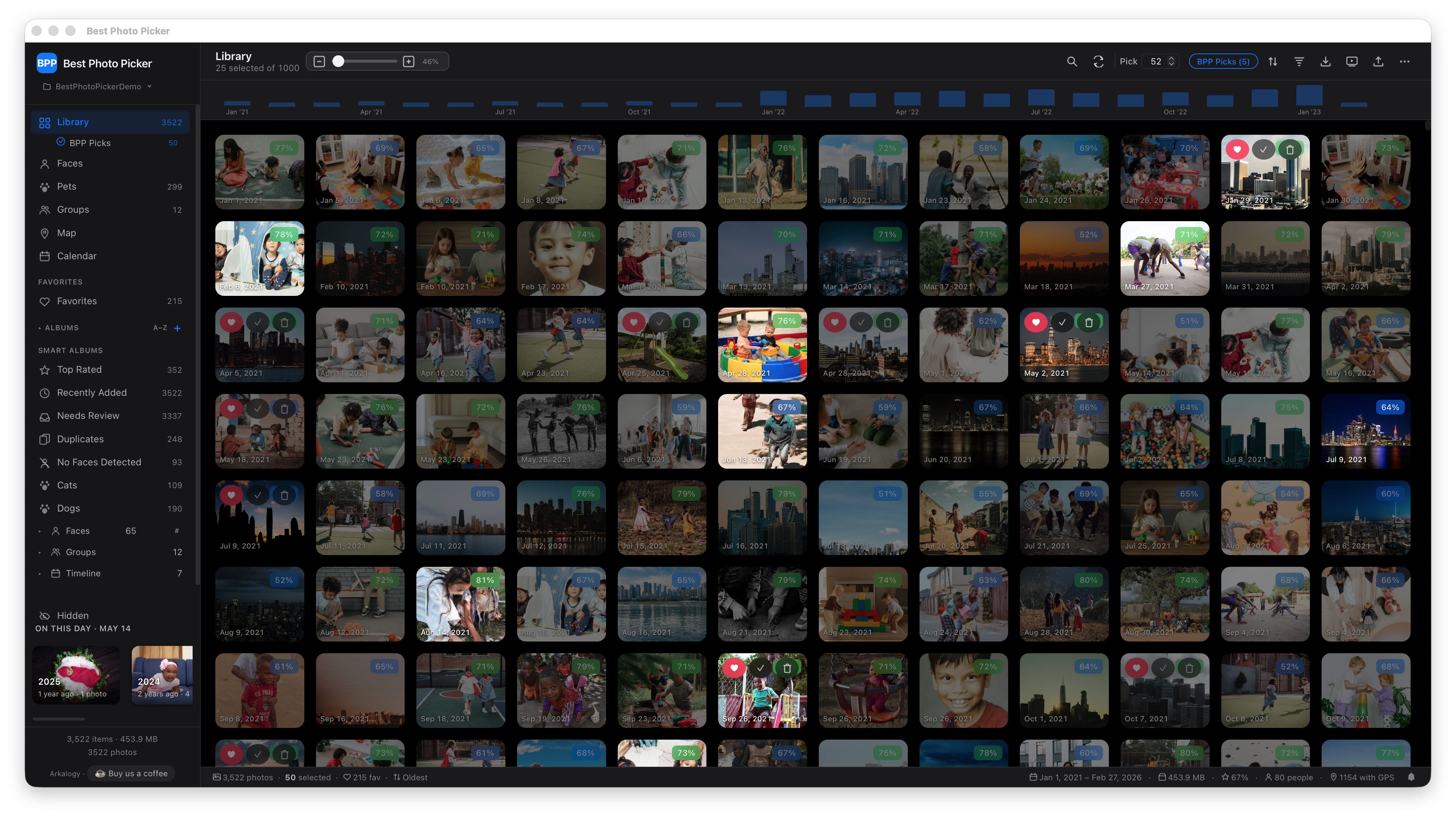
The sharp, well-lit, well-framed shots rise to the top on their own, so you are not scrolling thousands of frames to spot them. You stay in control of what "best" means: drag the sliders for sharpness, exposure, faces, or composition and the whole library re-ranks live.
Cut the burst-shot clutter
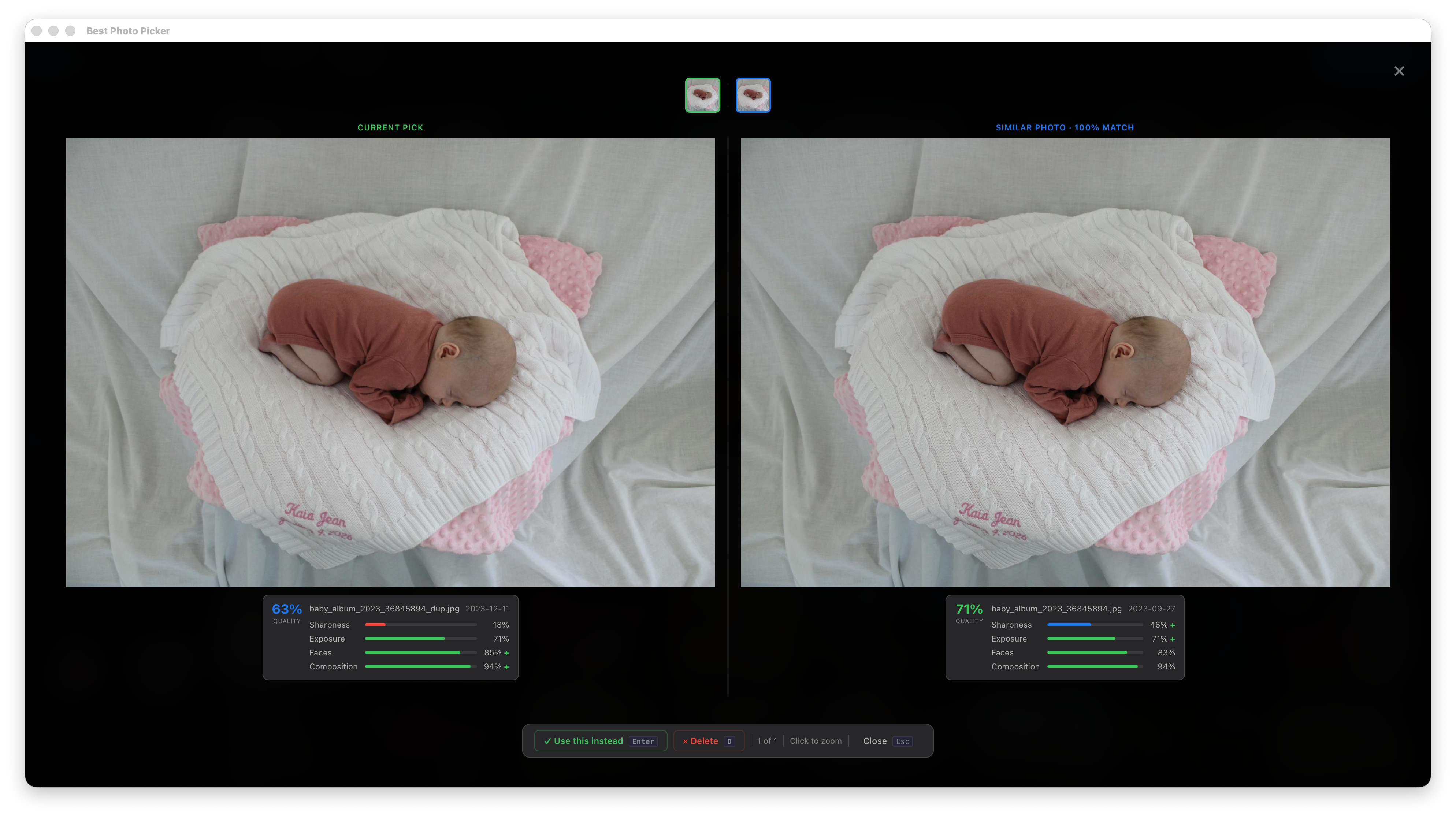
You fired off twelve nearly identical frames and you only want the one. Burst shots and look-alikes are grouped for you, so you keep a single best frame and the rest stay out of your selection. It even catches the same shot when it has been cropped or edited differently.
Make sure the right people make the cut
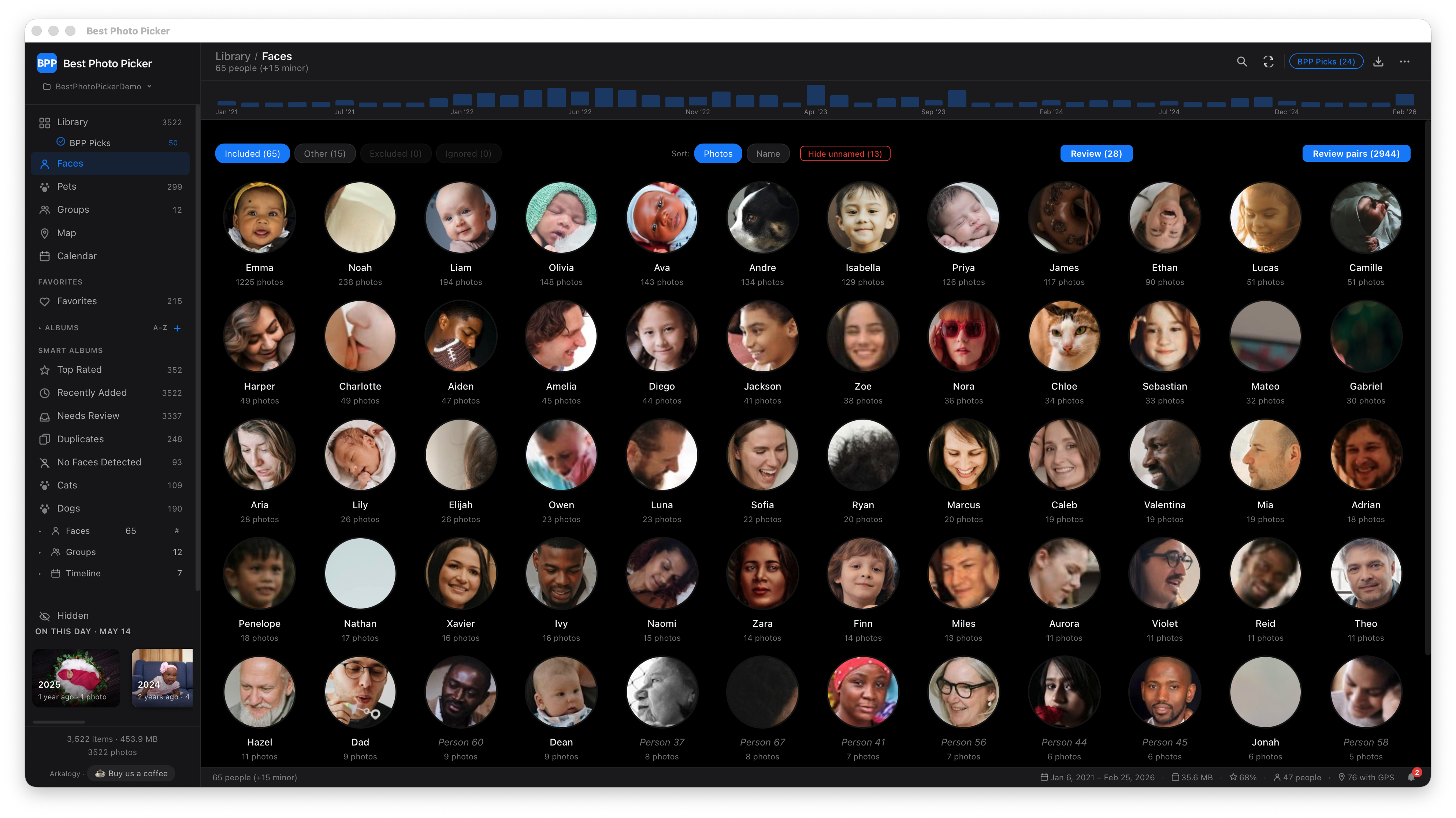
Faces are grouped into people automatically. Put a name to a person, nudge one slider, and your final set leans toward the kid, partner, or friend you actually care about.
Cover the whole story, not one afternoon
Your final pick spans the whole year instead of clumping into the one well-lit afternoon you shot a hundred frames in, so the selection tells the full story rather than over-representing your busiest shoot.
Curate down to a final set
Tell it how many photos you want and it pulls the strongest set across your entire library, already balanced across time and free of duplicates. Change the count or the weights and the picks update on the spot, so you go from thousands of photos to a final shortlist in a few minutes.
Fix and enhance a shot in place
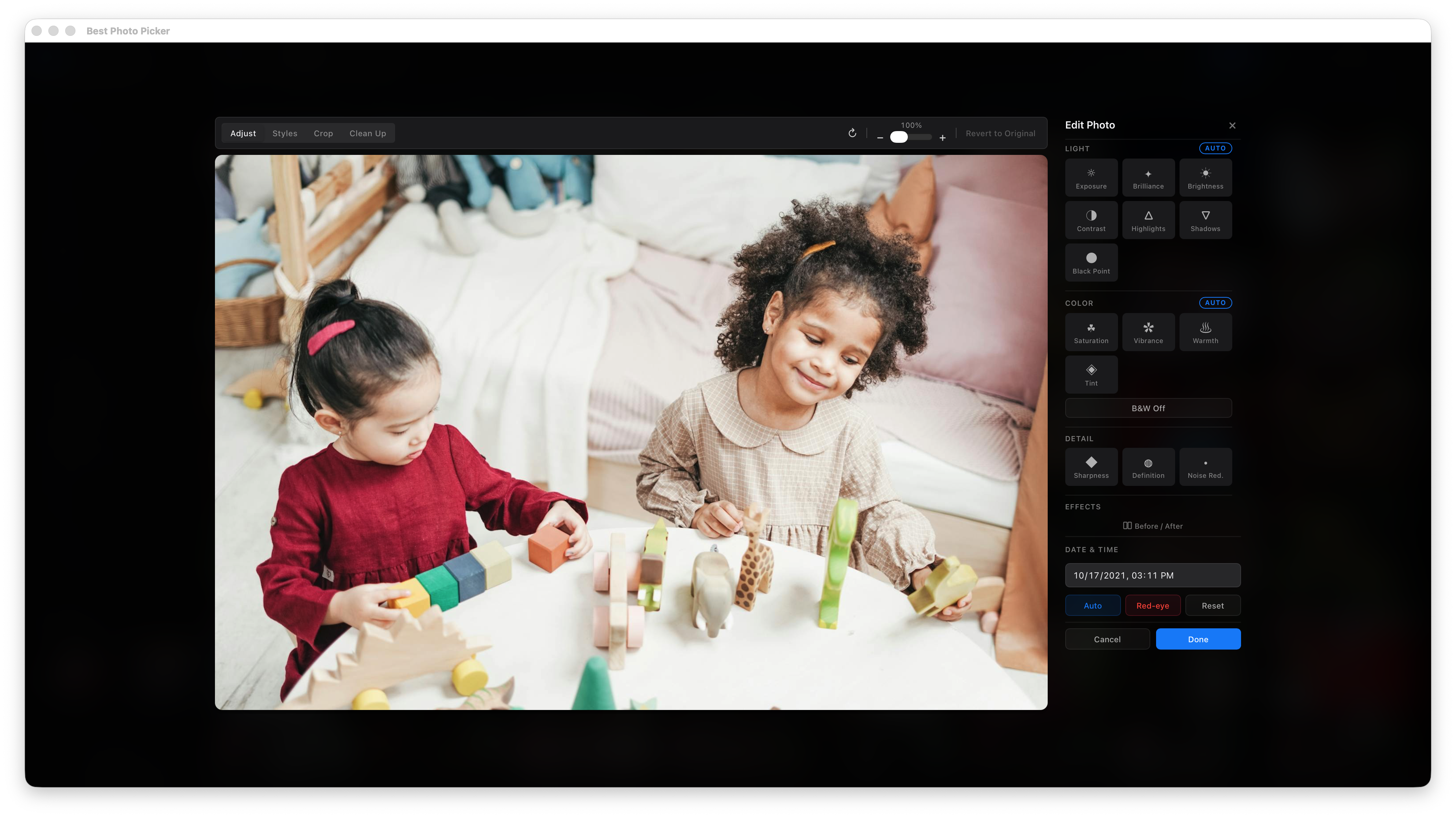
Straighten a tilted horizon, crop in tighter, or clean up an unwanted object without ever leaving the app or opening a separate editor. Every change is non-destructive, so your original file is never touched and nothing you try is permanent.
Hand your picks off anywhere
When the set is ready, send it wherever it needs to go: a folder for a photo book or print service, or a self-contained web gallery you can share with the grandparents. Export by copy or by link, so you are not duplicating gigabytes unless you want to.
Keep a giant library navigable
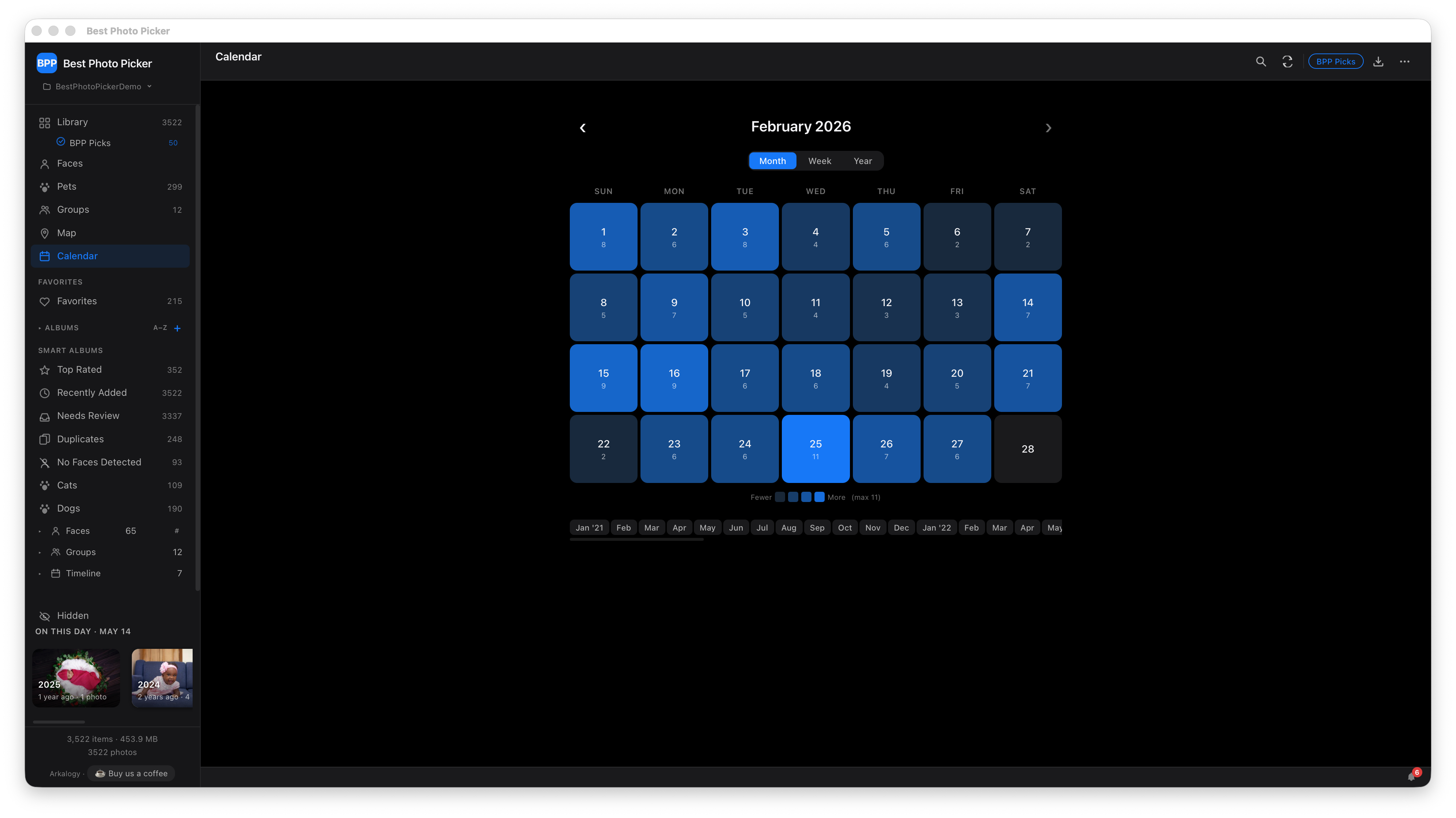
Even at tens of thousands of photos, everything stays findable. Picks, Faces, Pets, Duplicates, Calendar, and Favorites are built for you automatically, alongside any albums you make by hand.
Cull hard, lose nothing
Anything you delete is recoverable for thirty days in a Recently Deleted album, so you can curate aggressively without second-guessing every cut.
Browse it from any device at home
Open your library on a phone or tablet on the same Wi-Fi. The phone scans a QR code, you approve it once, and it reconnects on its own after that. It stays on your local network, with no cloud in the middle, and you can revoke any device the moment you want to.
Picks: the best of your whole library, as many as you ask forFaces, clustered into peopleNear-duplicate reviewNon-destructive in-place editorCalendar view for browsing by timeThe library grid with live score badges
How It Was Built, and Why
Every decision here traces back to one promise to the person using it: your photos never leave your machine. Keeping that promise ruled out the easy cloud path and shaped everything that followed, from how you install it to how it earns trust with your own family photos. Expand any item for the engineering behind it.
Your photos stay yours: privacy is the architecture, not a setting
All analysis, scoring, and selection run on your computer. There is no telemetry and no account. The handful of network calls the app can make (one-time model downloads, OpenStreetMap tiles only when you open the Map view, an optional update check, optional local-network sharing) are each individually disclosed and switch-off-able. Nothing about your library is ever sent anywhere.
Proven ML, none of it bundled: the models run locally and download only when you opt in
Face detection can draw on a layered set of proven models (YuNet, SCRFD, BlazeFace, MediaPipe, dlib), so it degrades gracefully across hardware. Near-duplicate detection pairs fast perceptual hashing with CLIP semantic similarity for the harder cases, and pet detection uses YOLOv11n. The app's own code is MIT, but these model weights carry their own upstream licenses, some of them non-permissive, so it never bundles them. It ships with zero weights and downloads each one only when you turn on that feature and consent to that specific model, after which the file is verified against a pinned SHA-256. Models with non-commercial or research-only licenses sit behind an explicit acknowledgment of how you intend to use them, so nothing non-permissive is ever pulled in willy-nilly. Everything runs on CPU by default, with optional hardware acceleration (Apple Neural Engine, CUDA, DirectML) available through a single setting.
A real app, not a script: you never have to touch a terminal
The core is a local Flask server with a vanilla-JS single-page UI. For people who would rather have a dock icon than a terminal, a Tauri v2 desktop app wraps that same UI in a signed, notarized native macOS window. Power users still get a full CLI for batch and headless workflows.
Try it before you trust it with your library: the whole product in thirty seconds, with none of your own photos
bpp demo generates a synthetic library and boots the full UI locally, so anyone can evaluate the product end to end before pointing it at their own photos. It quits cleanly when you close the tab and never touches your files.
Honest about the ML it uses: model licenses handled in the open, nothing pulled in behind your back
The code is MIT, but ML model weights carry their own, often non-permissive, upstream licenses. Rather than bundle weights or silently auto-download them, the app ships zero weights, fetches each one only on explicit per-model consent, verifies it against a pinned SHA-256, and gates research-only and non-commercial models behind a use-context acknowledgment. The reasoning is captured in an architecture decision record.
Built like a product, with the reasoning written down: the load-bearing choices are documented
The load-bearing engineering choices are captured in a set of architecture decision records covering the subprocess runner, cancellation contract, plugin protocol, error hierarchy, and the model-license posture above. Development was AI-assisted under tight product direction, with scope, priorities, and every architectural decision owned and approved deliberately.
The gap nothing else fills
Plenty of apps touch your photos. Almost all of them fall into two camps, and neither does the job Best Photo Picker is built for.
Storage apps like Apple Photos and Google Photos are built to keep everything and surface the occasional algorithmic "memory." They are great at holding fifteen thousand photos and weak at handing you the best fifty, and they assume you are fine uploading your family's faces to someone else's servers.
Editors like Lightroom and digiKam are built for a photographer perfecting one image at a time, not for triaging thousands of near-identical shots of one kid. Lightroom also lives in the cloud and runs about a hundred and twenty dollars a year.
Curation, the actual job of going from thousands of photos down to your final set, on your own machine, weighted toward the people who matter, is the gap in the middle. That gap is the whole reason this exists.
Best Photo Picker
Apple Photos
Google Photos
Lightroom
digiKam
Runs locally, fully offline
✓
iCloud-tied
✗
cloud sync
✓
Auto-scores the whole library for picking
✓
✗
"Memories" only
flags only
✗
Boost the picks toward a named person
✓
limited
limited
✗
✗
Near-duplicate deduplication
✓
limited
limited
✗
✓
Free and open source
✓MIT
✗
✗
$120/yr
✓GPL
No account, no subscription
✓
✗
✗
✗
✓
Reflects each tool's mainstream consumer offering. Cloud and pricing terms change; check current details.
Storage tools store. Editors edit. Best Photo Picker curates, and it is the only one built to hand you your final set.
Get It
Most people just want the app. Developers get the full Python package and CLI. Either way, nothing you do leaves your machine.
Download the macOS app
A signed, notarized native app for Apple Silicon Macs (M1, M2, M3, and later). Download it, drag it to Applications, and open it. No terminal, no Python, no setup. It opens on double-click with no security warning, and your library carries over untouched when you update.
Install the package and launch a synthetic library, so you can evaluate the whole product end to end in about thirty seconds. It runs entirely on your machine, quits cleanly when you close the tab, and never touches your files.
pip install "bppicker[web]"
bpp demo
For developers, and every other platform
On Linux, Windows, or an Intel Mac, the package is the way in. It ships a full command-line interface for batch and headless workflows, and the source is open under MIT. The recommended install is pipx, which keeps it isolated and updatable in one command: pipx install "bppicker[web]". Requires Python 3.11. See bppicker on PyPI and the source on GitHub.
It is built to be extended, and contributions are genuinely welcome. Open an issue to report a bug or request a feature, or send a pull request. Getting it running on Windows, or with a new ML model or smart album, are all great first contributions.
0photos uploaded
MITopen source
30sto try the demo
Local-first photo curation that finds your best shots without uploading anything.